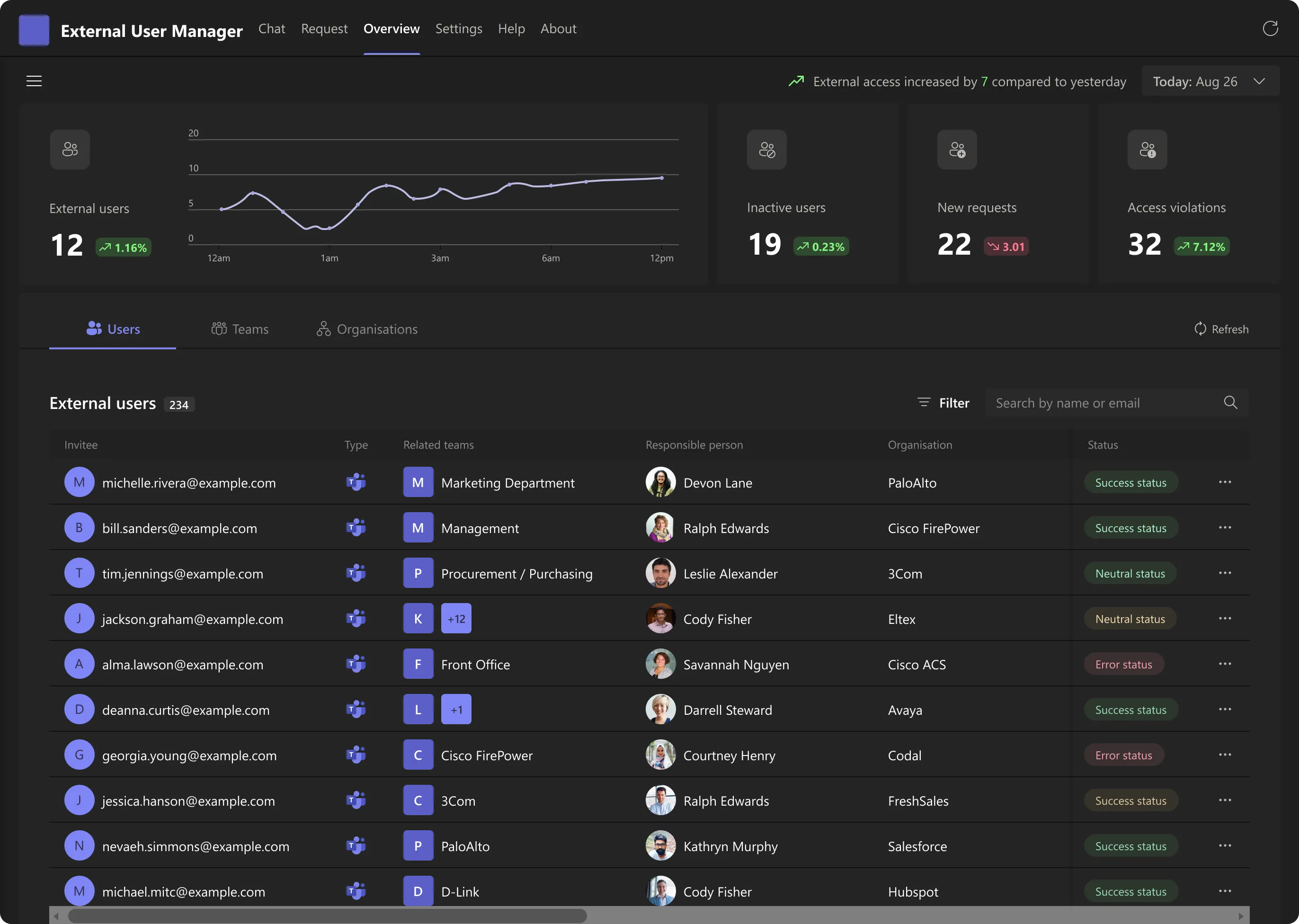
Every guest, accounted for.
An overview dashboard for external users in Microsoft Teams: who they are, which teams they can reach, who vouched for them, and when that access expires.
Guest access is invited once and forgotten forever.
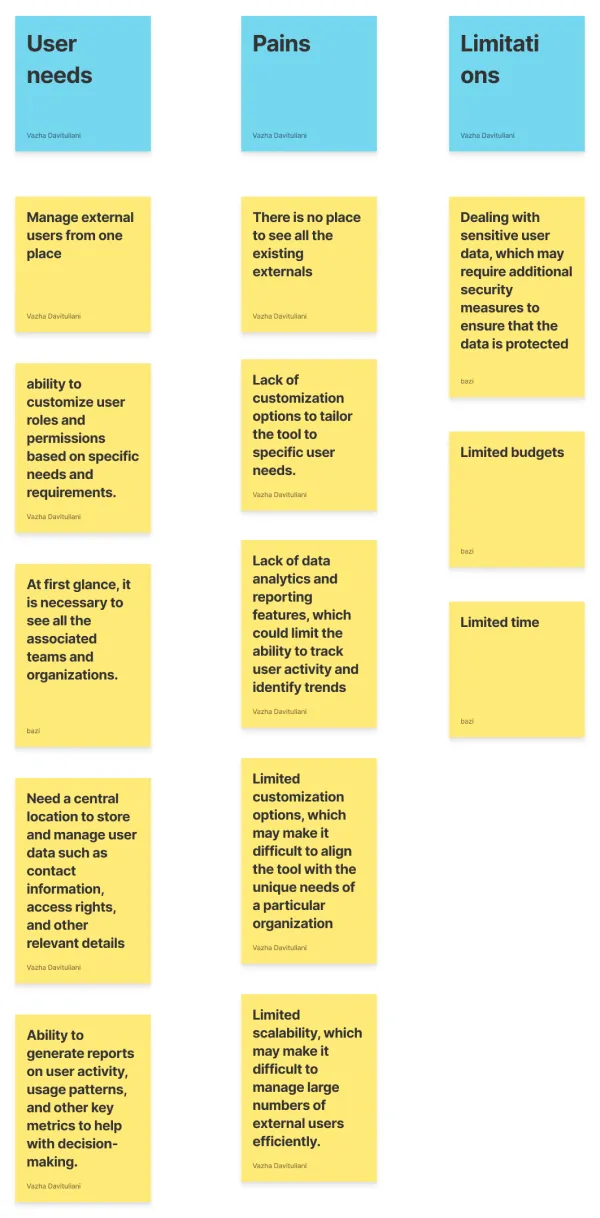
Contractors, agencies and partners get added to a channel by whoever needed them that week. Months later nobody can say how many externals hold access, which teams they can still open, or who is responsible for them. Admins asked for one place, plus the reporting to prove it to leadership.
No direct competitor, so I studied the adjacent field.
External User Manager had no like-for-like product on the market. Instead of benchmarking a competitor, I built the reference set from enterprise identity and user-management platforms, research papers and industry reports, plus consultations with experts in UX and Microsoft Teams administration.
Each one answered a different question: what admins expect to monitor, how such tools stay usable at scale, and how access and permissions are normally governed.
Four numbers that start every morning.
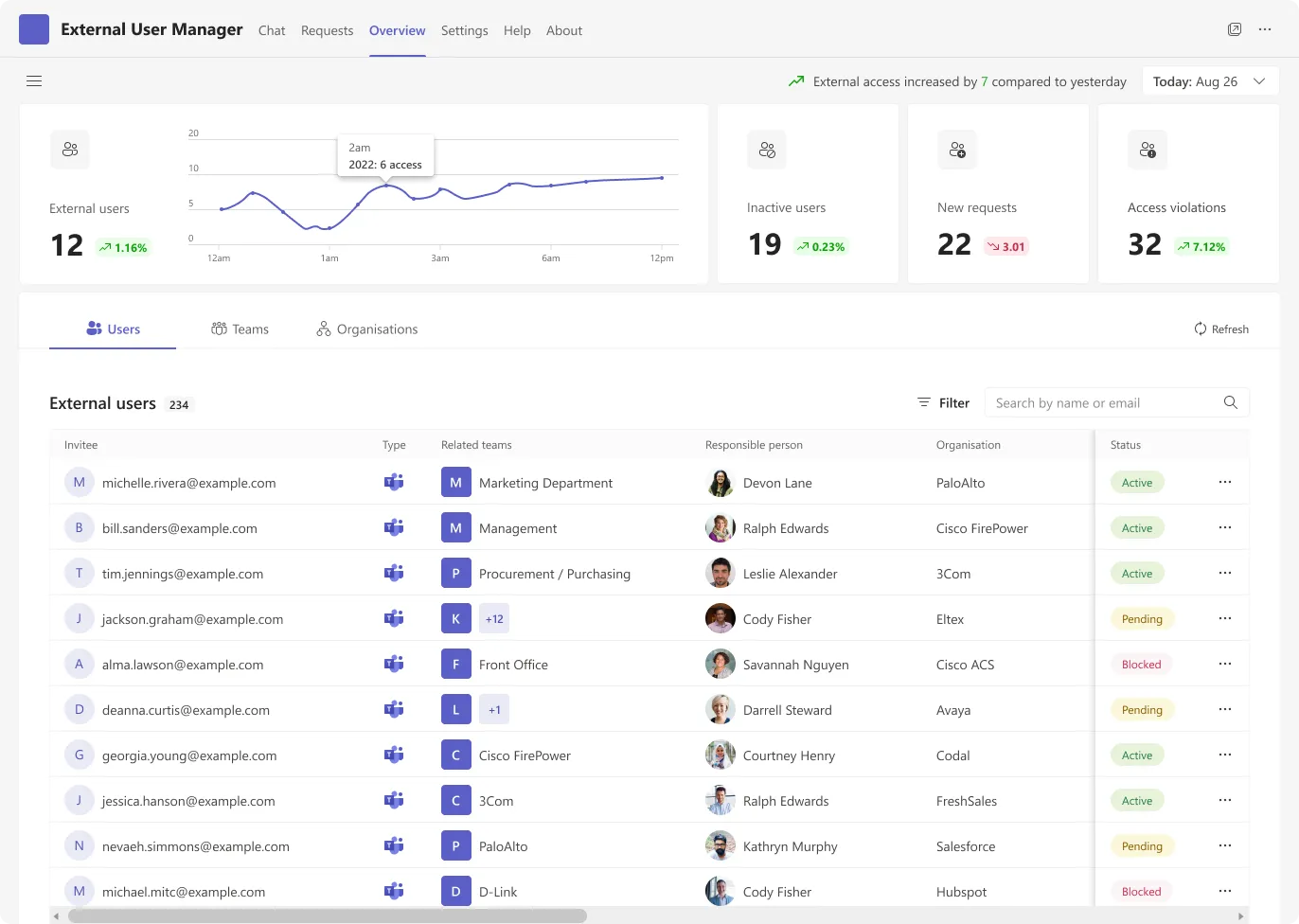
The header carries the live count with a trend curve, then three counters that are really a to-do list: dormant guests to remove, requests to approve, violations to investigate. Each one is a filter into the table below.

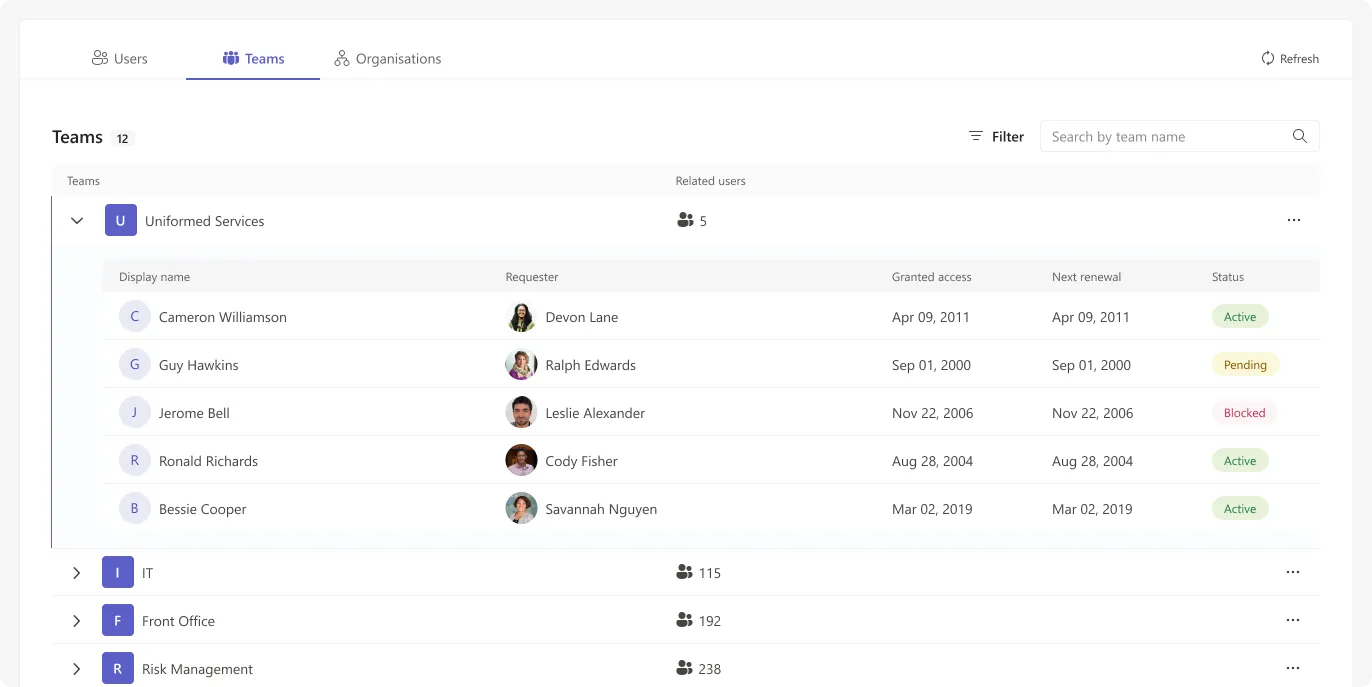
Users, teams, organisations.
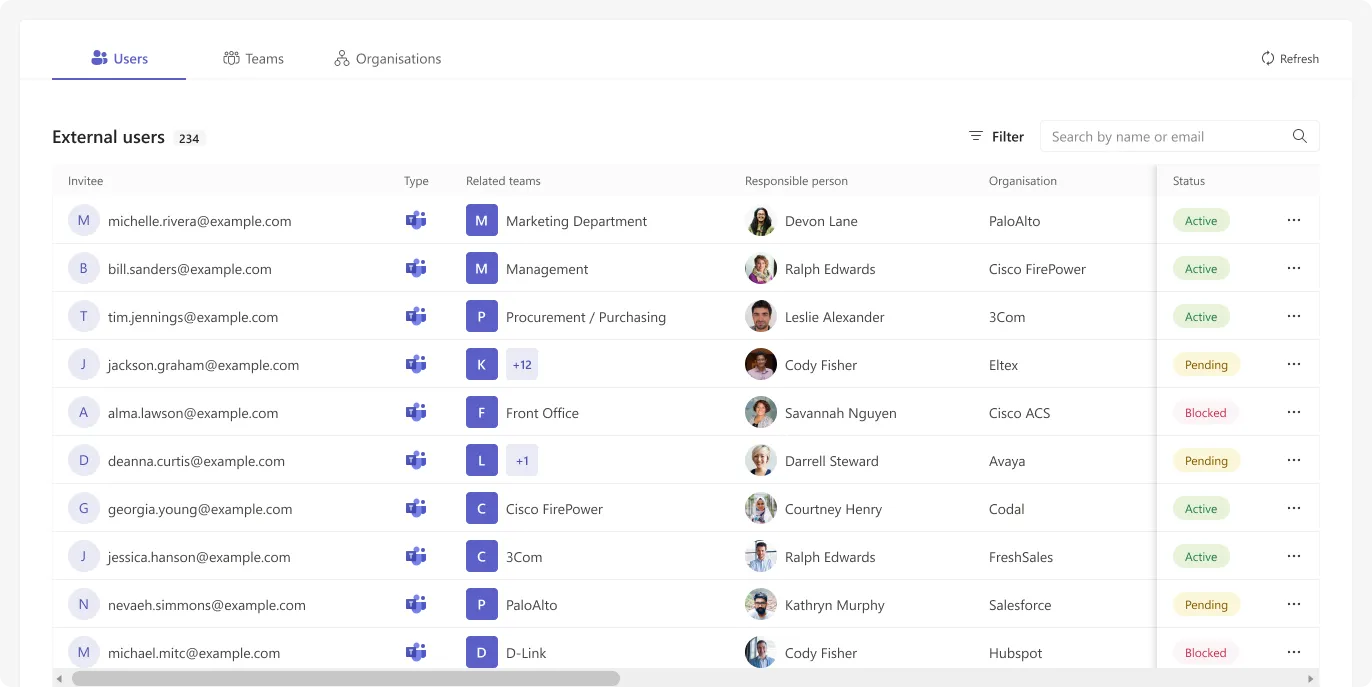
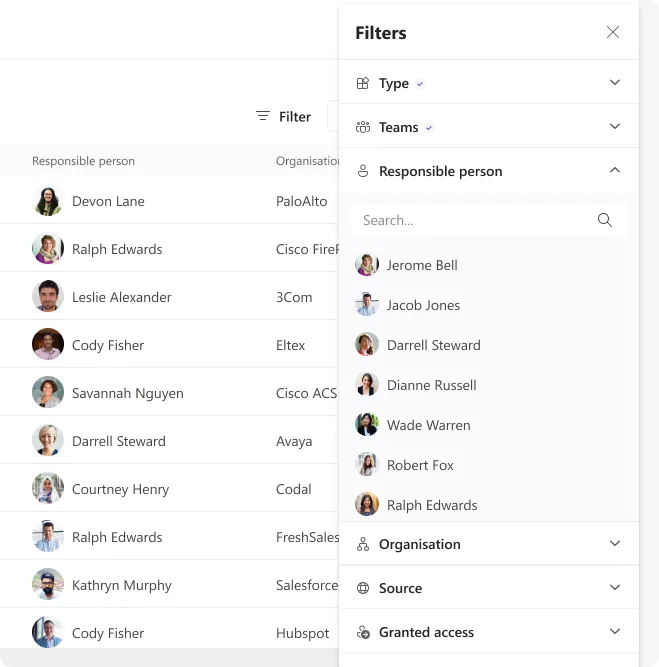
The same records, pivoted three ways, because admins arrive with three different questions. Status is always a chip, the responsible person always has a face, and every column is filterable from one panel instead of six menus.
Access with an expiry date.
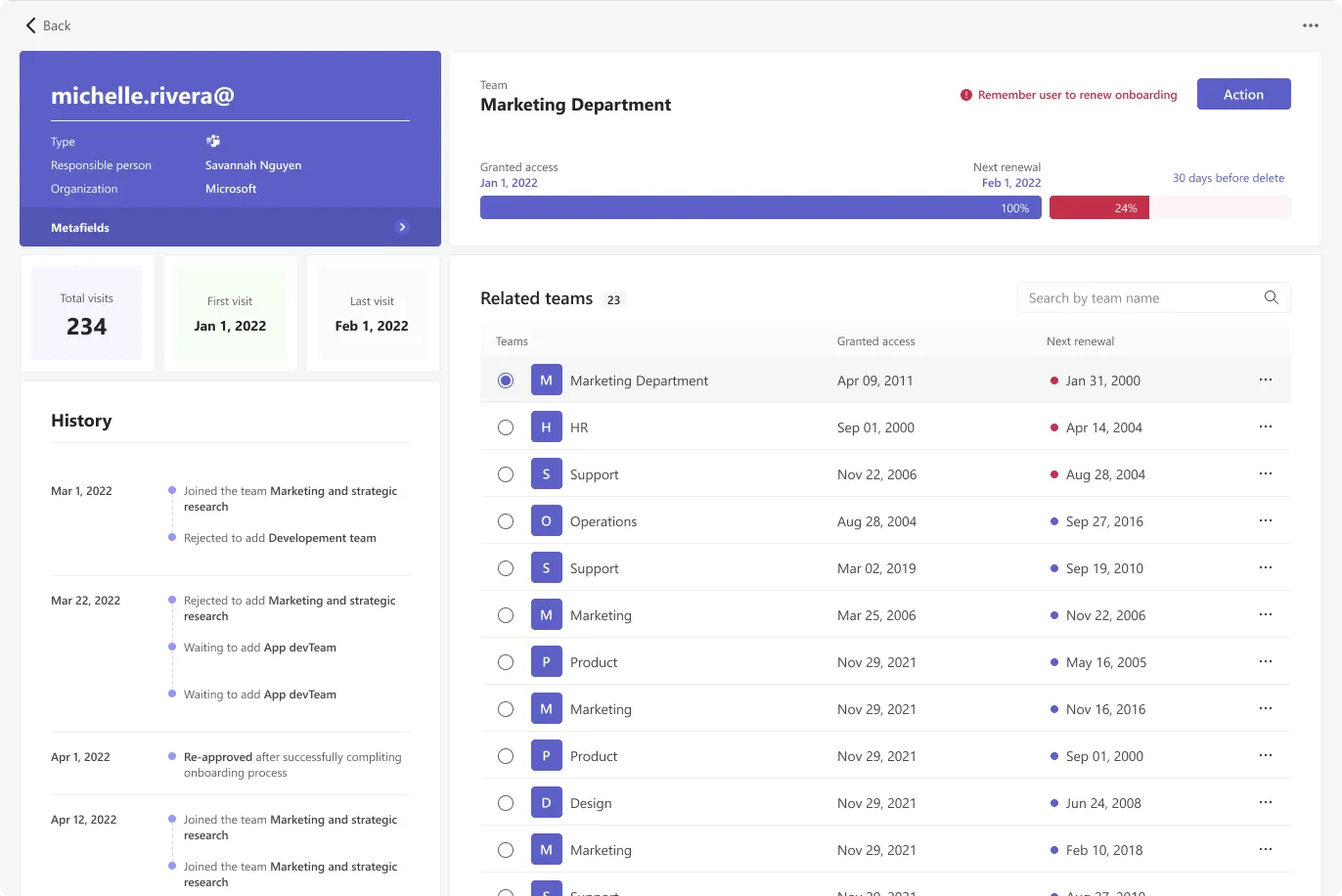
Each guest gets a record: who they are, who invited them, every team they touch, and a lifecycle bar that runs from granted access to renewal to deletion. The history column is the audit trail, so an approval decision never depends on memory.

It has to feel native in both Teams themes.
Every surface, chip and chart was specified twice against the Teams palette. Status colour keeps the same meaning in both, contrast is checked on the dark side where the soft green and red normally collapse.